Guides
What Is Liquid Glass UI? A Practical Guide for Designers and Developers
Liquid glass is translucent UI that behaves like thick, polished glass — bending light at its edges and reacting to interaction. Here is what defines it and how to build it on the web.
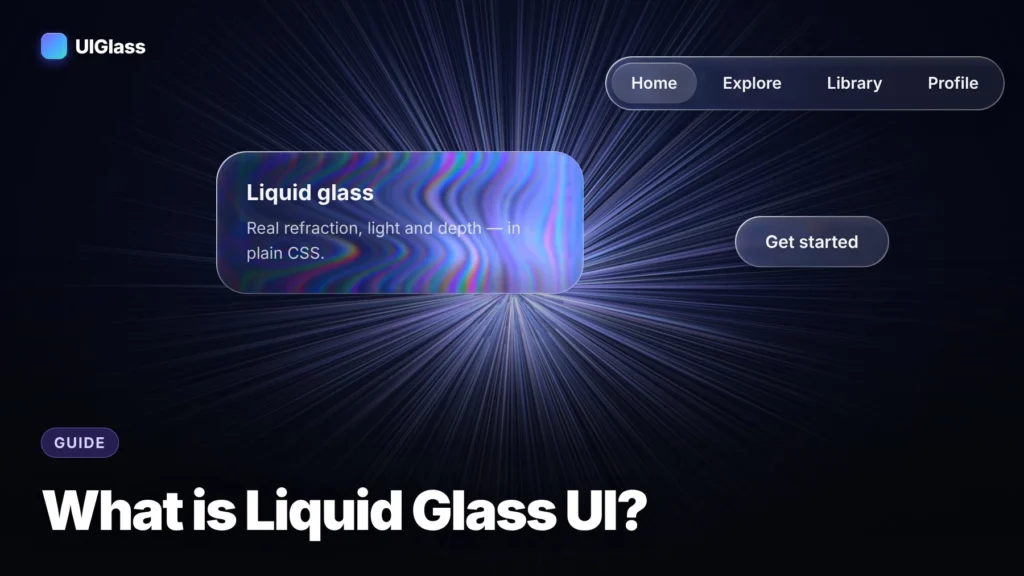
In short: Liquid glass UI is a translucent interface style where controls behave like thick, polished glass: the background bends at the edges, light catches the rim, and the surface reacts to interaction. On the web it’s built with backdrop-filter plus an SVG displacement filter.
Translucent interfaces have been around for years, but “liquid glass” describes something more specific: surfaces that look like thick, polished glass sitting above your content. They don’t just let the background show through — they bend it at the edges, catch light along their rims and respond when you touch them.
The four ingredients
A convincing liquid glass surface combines four things. Remove any one of them and the illusion weakens.
1. Translucency with restraint
The material lets the background through, usually with a little tint and a modest blur. Clear liquid glass uses less blur than classic “frosted” glass; the background stays recognisable, which is what makes the bending visible.
2. Refraction at the bezel
Real glass with rounded edges acts like a lens near its border. Straight lines behind it curve as they approach the edge, while the centre stays calm. This is the signature of liquid glass, and it is the part most CSS-only approaches miss.
3. Consistent light
A rim highlight on the lit side, a soft inner glow, a thin caustic on the opposite edge and a little shade on the far side. The key word is consistent: all of them must come from the same light direction, or the eye immediately reads the surface as fake.
4. Responsive behaviour
Glass that reacts — lifting slightly on hover, compressing when pressed, sweeping light across its surface — feels like an object rather than a texture. The motion should be quick and physical, never floaty.
Where it works well
- Navigation over rich content — tab bars, docks and floating toolbars that sit above photos or video.
- Primary actions in visual layouts — hero buttons over imagery.
- Overlays and control surfaces — media controls, quick settings, command palettes.
It works less well for dense text, long forms and data tables, where contrast and calm matter more than material.
Building it on the web
The web platform gives us most of the ingredients:
backdrop-filter: blur() saturate() brightness()for translucency,- layered
box-shadowfor rim light, inner glow and shade, - CSS transitions for responsive behaviour,
- SVG filters — specifically
feDisplacementMap— for refraction.
The tricky part is refraction. An SVG displacement map has to match the element’s proportions and corner radius, and today only Chromium-based browsers render SVG filters inside backdrop-filter. A robust implementation therefore treats refraction as a progressive enhancement: everyone gets well-made frosted glass, and Chromium users get the lens on top. We explain the mechanics in How SVG refraction works in CSS.
Accessibility first
Translucency can hurt readability. Check contrast against the busiest background a component will sit on, keep focus styles visible, and respect prefers-reduced-transparency and prefers-reduced-motion. Our guide to accessible glass UI covers this in detail.
Frequently asked questions
What is liquid glass UI?
Liquid glass UI is a translucent interface style where surfaces behave like thick, polished glass: they blur and bend the background at the edges, catch light on the rim and react to interaction.
Who created the liquid glass design?
Apple popularised the term with its Liquid Glass design language, announced in June 2025 for iOS 26 and its other platforms. On the web, designers recreate the look with CSS and SVG filters.
Is liquid glass the same as glassmorphism?
No. Glassmorphism blurs the background. Liquid glass also refracts it at the edges, adds directional light and responds to interaction. Read Glassmorphism vs liquid glass.
Can I use liquid glass on a website?
Yes. Use backdrop-filter for the frosted base and an SVG displacement filter for refraction in Chromium browsers, with a frosted fallback elsewhere. The liquid glass CSS guide has tested code.
When should I avoid liquid glass?
Avoid it behind long text, over very busy backgrounds, for every card in a long grid, and on large full-screen panels on mobile. Use it for navigation, buttons and a few highlighted elements.
Is liquid glass bad for accessibility?
Not if you design for it: keep text contrast at 4.5:1 over the busiest background, keep focus visible, and switch to solid surfaces for reduced transparency and high contrast settings.
Try it
The fastest way to understand liquid glass is to play with it. Open the UIGlass builder, drag a button over the Typography scene and move the refraction strength slider — you’ll see the letters bend at the edge while the centre stays readable.


