Tutorials
Liquid Glass in Flutter and Jetpack Compose: Packages, Code and Limits
How to get a Liquid Glass look in Flutter and Jetpack Compose: the main packages, minimal code, platform requirements, web and older-device fallbacks, and when a plain frosted blur is the better choice.
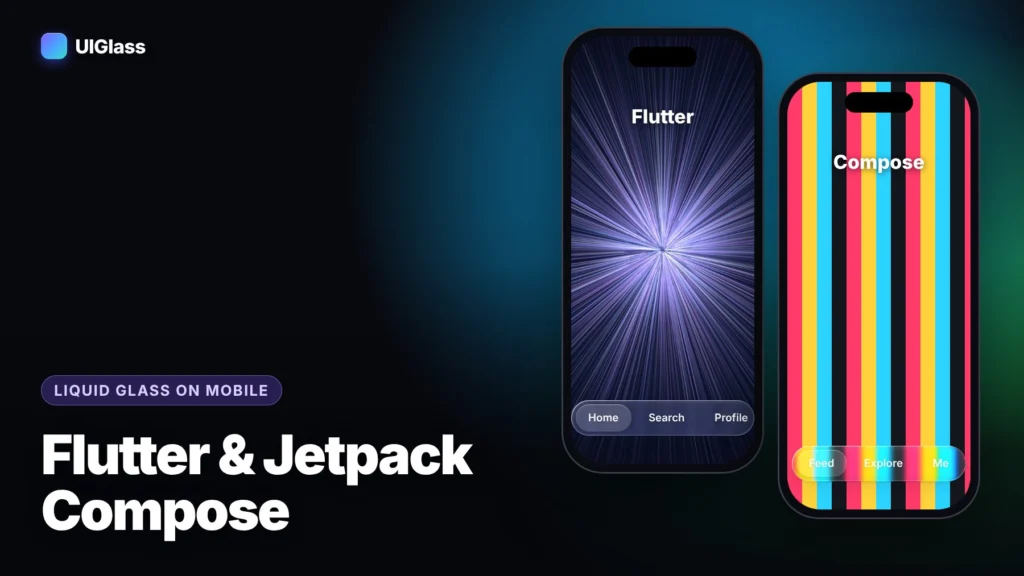
In short: Flutter and Jetpack Compose don’t get Apple’s Liquid Glass automatically. In Flutter, use BackdropFilter for frosted glass or the liquid_glass_renderer package for refraction. In Compose, use a library such as Backdrop, also called AndroidLiquidGlass, for blur, vibrancy and lens effects.
Apple’s Liquid Glass is a native iOS material. Flutter and Jetpack Compose draw their own interfaces, so they don’t get it for free. They can still reproduce the look: frosted blur, lens-like refraction at the edges and specular highlights. Several open-source packages do the heavy lifting.
This guide covers the main options for each framework, minimal code, and the platform limits you need to know before you ship.
Flutter
Option 1: plain frosted glass with BackdropFilter (built in)
Flutter’s built-in BackdropFilter gives you classic glassmorphism with no package:
ClipRRect(
  borderRadius: BorderRadius.circular(28),
  child: BackdropFilter(
    filter: ImageFilter.blur(sigmaX: 12, sigmaY: 12),
    child: Container(
      padding: const EdgeInsets.all(24),
      decoration: BoxDecoration(
        color: Colors.white.withValues(alpha: 0.12),
        borderRadius: BorderRadius.circular(28),
        border: Border.all(color: Colors.white.withValues(alpha: 0.3)),
      ),
      child: const Text('Frosted glass'),
    ),
  ),
)
It works on every platform, including the web, and is enough for many designs. It blurs but doesn’t bend the background.
Option 2: liquid_glass_renderer (real refraction)
liquid_glass_renderer renders glass with shaders, including refraction, blending shapes and lighting. The current major version is a prerelease (1.0.0-dev at the time of writing), and its API replaced the 0.x versions completely, so pin the version and read the changelog.
Stack(
  children: [
    const Positioned.fill(child: MyContent()),
    Center(
      child: LiquidGlassLayer(
        settings: LiquidGlassSettings.ios27Regular(brightness: brightness),
        child: const LiquidGlass(
          shape: LiquidRoundedSuperellipse(borderRadius: 28),
          child: SizedBox(width: 220, height: 56),
        ),
      ),
    ),
  ],
)
What to know before using it:
| Topic | Details |
|---|---|
| Rendering | Full glass needs Impeller and Flutter GPU (a recent Flutter version, with Flutter GPU enabled) |
| Platforms | Tested on iOS, Android and macOS |
| Web | Builds and renders a simplified “fake glass” without refraction |
| Without Impeller (Skia) | Falls back to fake glass automatically |
| Shapes | Rounded superellipse, oval and rounded rectangle. One corner radius per shape, up to 16 shapes per layer |
| Blending | Shapes inside a blend group merge like Apple’s morphing glass |
| Licence | Apache-2.0 |
Keep sibling glass shapes in one LiquidGlassLayer: the layer samples the background once and renders all shapes inside it. The package’s own advice is to profile on physical devices before shipping.
Other Flutter packages (for example liquid_glass_easy and several smaller ones on pub.dev) wrap similar ideas with simpler APIs. Check each one’s last update and platform notes, because this space moves quickly.
Jetpack Compose (Android)
Option 1: Modifier.blur is not a backdrop blur
A common mistake: Modifier.blur() blurs the composable’s own content, not what’s behind it. For glass you need a backdrop effect, which Compose doesn’t provide out of the box.
Option 2: Backdrop (AndroidLiquidGlass)
The open-source Backdrop library (also known as AndroidLiquidGlass, published as io.github.kyant0:backdrop) captures content into a backdrop layer and draws it through effects such as vibrancy, blur and lens refraction:
Box(Modifier.fillMaxSize()) {
    val backdrop = rememberLayerBackdrop {
        drawRect(Color.White)
        drawContent()
    }

    MainContent(
        modifier = Modifier.layerBackdrop(backdrop)
    )

    Box(
        Modifier
            .safeContentPadding()
            .drawBackdrop(
                backdrop = backdrop,
                shape = { CircleShape },
                effects = {
                    vibrancy()
                    blur(4f.dp.toPx())
                    lens(16f.dp.toPx(), 32f.dp.toPx())
                },
                onDrawSurface = { drawRect(Color.White.copy(alpha = 0.5f)) }
            )
            .height(64.dp)
            .fillMaxWidth()
            .align(Alignment.BottomCenter)
    )
}rememberLayerBackdroprecords the content behind the glass, andlayerBackdropmarks which content to record.drawBackdropdraws the glass with a chain of effects.lens()produces the refraction.onDrawSurfacepaints a translucent layer on top for readability. Don’t skip it on busy content.
The library is Apache-2.0 licensed, ships example components (bottom tabs, buttons, toggles, sliders) and supports Compose Multiplatform targets. Shader-based effects depend on newer Android graphics APIs, so check its documentation for the minimum Android version of each effect and plan a plain blur or solid fallback for older devices.
Flutter vs Compose at a glance
| Flutter | Jetpack Compose | |
|---|---|---|
| Built-in frosted blur | BackdropFilter | None for backdrops (Modifier.blur blurs the element itself) |
| Refraction package | liquid_glass_renderer (prerelease) | Backdrop / AndroidLiquidGlass |
| Morphing / blending shapes | Blend groups | Example components |
| Web | Simplified glass, no refraction | Compose for Web targets listed; check the docs |
| Maturity | Moving fast, API changes between majors | Moving fast, alpha releases |
Design rules that still apply
Native or not, the same rules that make Apple’s Liquid Glass usable apply here:
- Glass for controls and navigation, such as bottom bars, floating buttons and toolbars, not for content cards and list rows.
- A translucent surface layer over busy content, so text stays at 4.5:1 contrast.
- A solid fallback when the system asks for reduced transparency or when the device is too slow.
- Profile on a mid-range Android phone. Shader effects that are smooth on a flagship can drop frames on cheaper GPUs.
For the design background, read Apple Liquid Glass explained. If you’re building native iOS, the SwiftUI guide shows Apple’s own APIs. And if your app has a website, the liquid glass CSS guide and the UIGlass builder give you matching web components.
Frequently asked questions
Does Flutter support Apple’s Liquid Glass natively?
Flutter draws its own UI, so it doesn’t automatically use Apple’s system material. Use a package such as liquid_glass_renderer to recreate the look, or embed native iOS views where you need the exact system appearance.
Is there a Liquid Glass effect for Android?
Android has no system Liquid Glass. Jetpack Compose apps can recreate it with libraries such as Backdrop (AndroidLiquidGlass), which provides blur, vibrancy and lens refraction effects.
Does liquid glass work in Flutter web?
liquid_glass_renderer renders a simplified glass on the web without refraction. Flutter’s built-in BackdropFilter blur does work on the web.
Will liquid glass slow down my Flutter or Compose app?
Shader-based refraction costs GPU time. Keep it on a few small controls, group shapes so the background is sampled once, and test on real mid-range devices.
Can I use the same glass design on my website?
Yes. On the web, combine backdrop-filter with an SVG displacement filter for refraction. The UIGlass builder exports matching components.
How do I make a glass effect in Flutter?
Wrap a translucent container in ClipRRect and BackdropFilter with ImageFilter.blur. For refraction, use a package such as liquid_glass_renderer.
What does liquid_glass_renderer need to run?
Full glass needs Flutter’s Impeller renderer and Flutter GPU in a recent Flutter version. Without them, for example on the web or with Skia, the package falls back to a simplified glass without refraction.
How do I blur the background in Jetpack Compose?
Modifier.blur blurs a composable’s own content, not what’s behind it. For a backdrop blur, use a library such as Backdrop (AndroidLiquidGlass), which records the content behind and draws it through blur, vibrancy and lens effects.
Is liquid_glass_renderer ready for production?
It’s a prerelease: the package describes itself as experimental and recommends profiling on physical devices before shipping. Pin the version and test carefully.